Merge, split, rotate, encrypt and annotate PDFs directly on your desktop. No cloud, no monthly fees — yours forever.
One-time payment · Lifetime license · Free updates · Free demo available
Copies and scans are pictures of pages. PDF Editor Pro reads their text with built-in OCR, so you can change, delete or move it in the scan's own look.
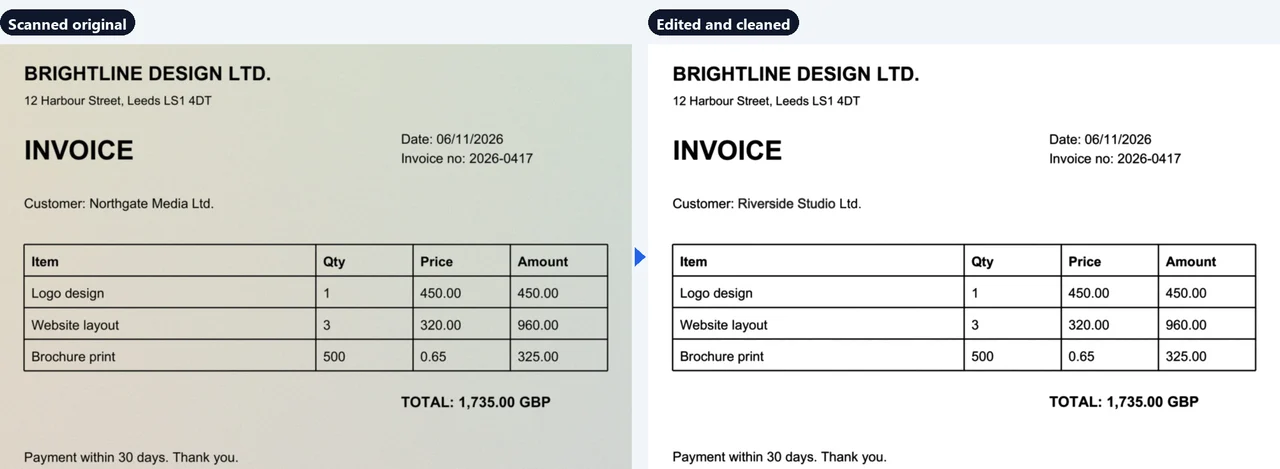
Click a line on a scanned page and type. New words are drawn in the scan's own typeface, size, weight and tone, so they blend in, also on coloured paper and for white text on coloured bars.
Read your PDFs comfortably on an e-reader: text reflows to the screen and the font size is yours to choose.
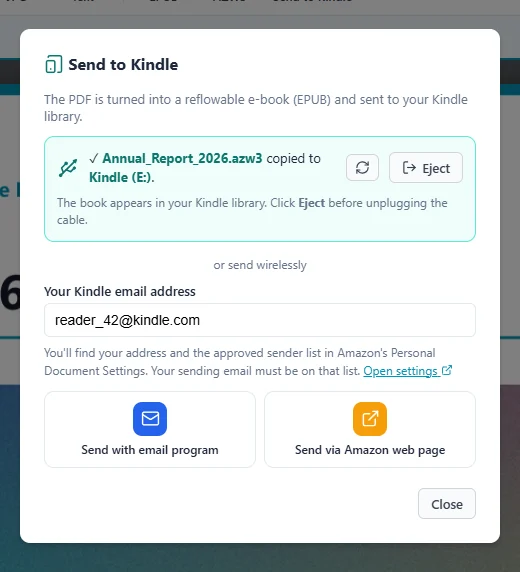
Turn any text PDF into a real e-book with chapters, headings, images, charts and tables — then send it to your Kindle in one click.
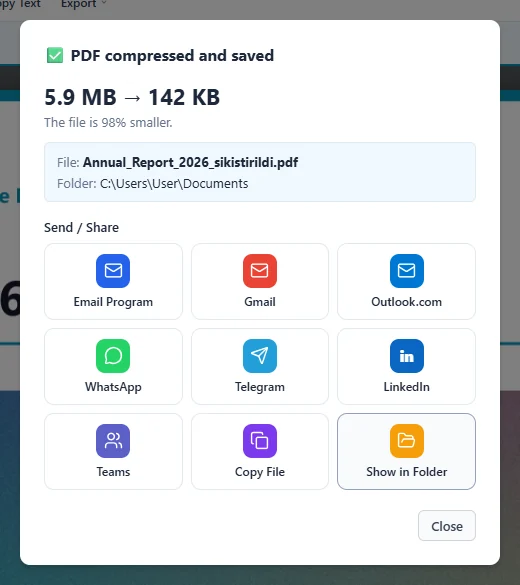
Too big for email? Pick a quality level and a 6 MB scan becomes a few hundred KB. Then send it straight away.
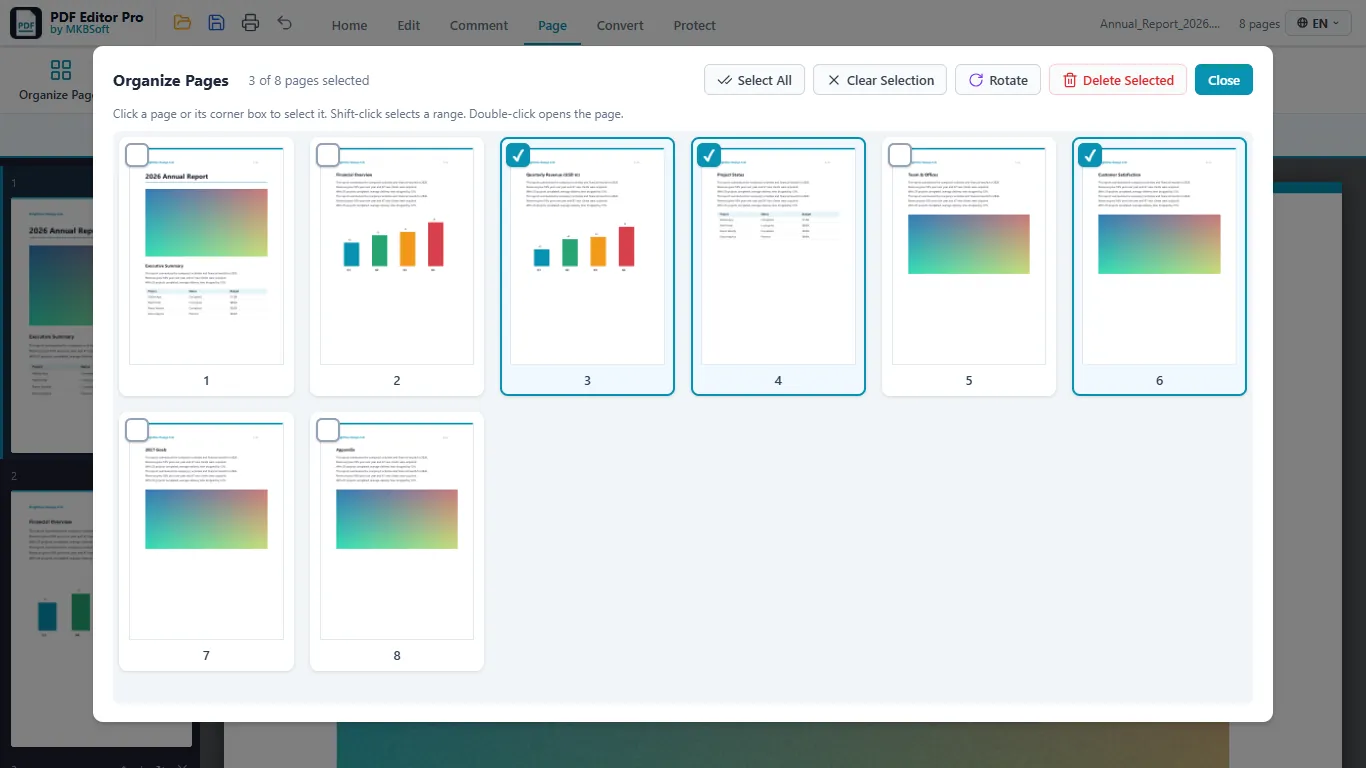
See every page as a numbered thumbnail. Tick the ones you don't need and delete or rotate them all at once.
A PDF page has a fixed layout, so on an e-reader or phone the text stays tiny. As an e-book, the text flows to fit the screen and you choose the font size.
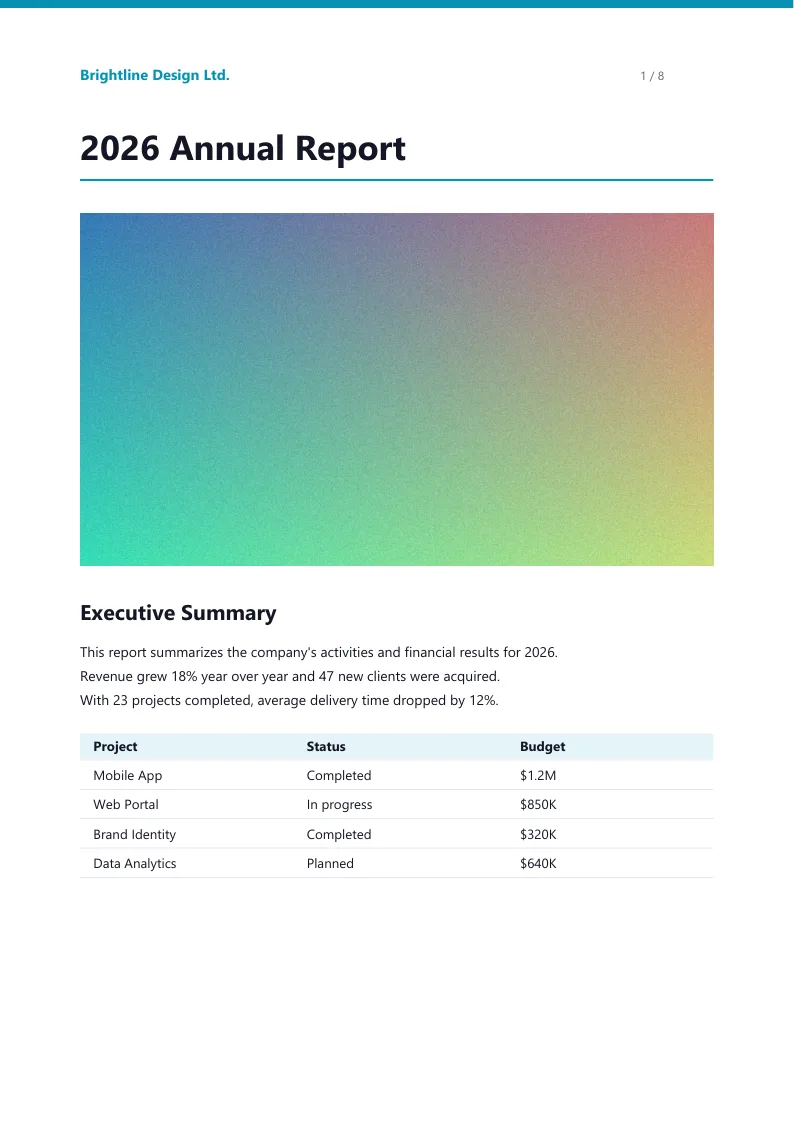
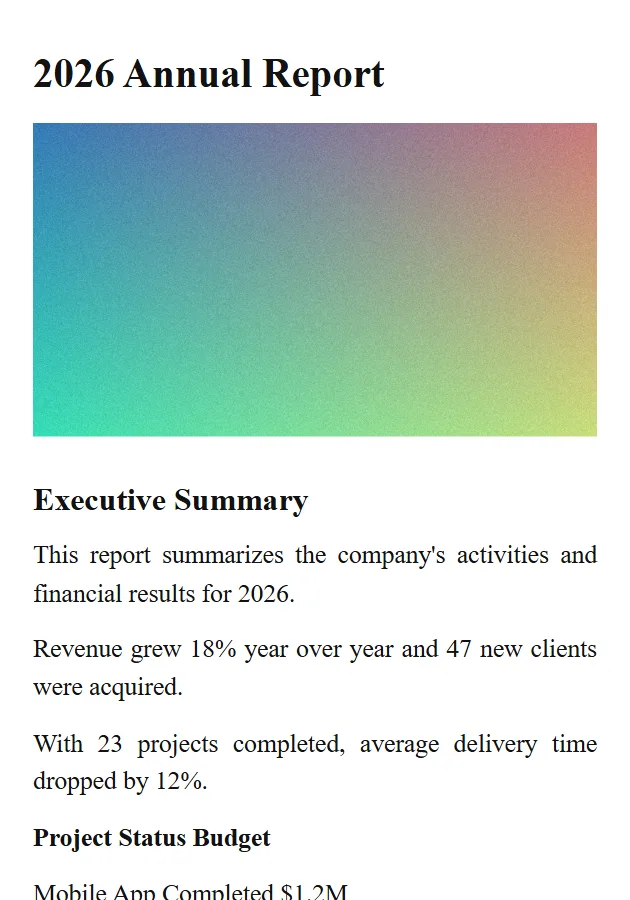
Any PDF that contains text: books, reports, articles.
Chapters, headings, images, charts and tables are kept; page numbers and running headers are removed.
On Kindle, Kobo, Apple Books, Google Play Books or any EPUB reader.
| Format | Best for | Note |
|---|---|---|
| EPUB | Kobo, Apple Books, Google Play Books — and Kindle via Send to Kindle (email or web) | Built in, nothing else to install |
| AZW3 | Kindle connected by USB | Needs the free Calibre app |
| Kindle by USB without Calibre | Opens on Kindle, but the text doesn't reflow |
Scanned PDFs (photos of pages) have no text to reflow; their pages are kept as images.
Screenshots follow the language you choose at the top of the page.
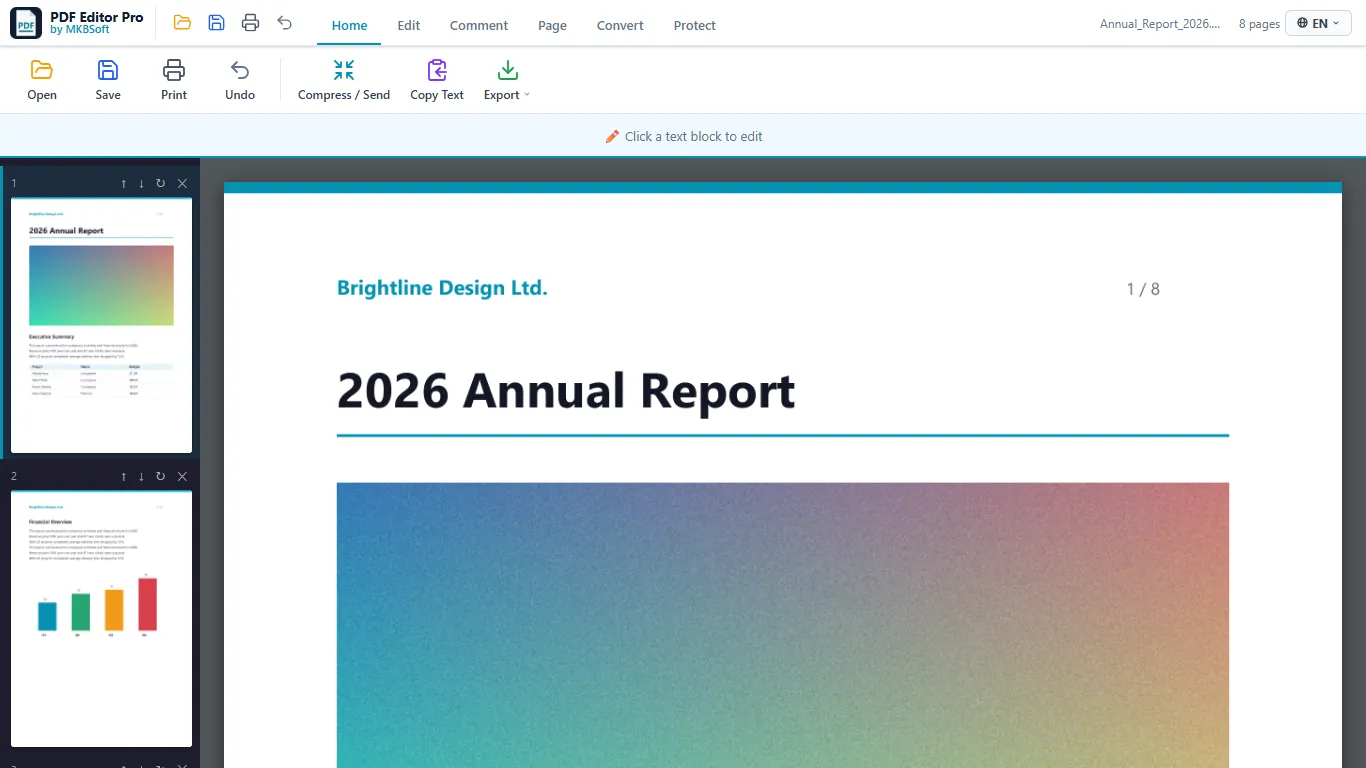
Tabbed ribbon with clear, coloured tools; page thumbnails on the left.
Select pages in the grid and delete or rotate them all at once.
Choose a quality level to make big PDFs small enough for email.
Send the result by email, Gmail, Outlook.com, WhatsApp, Telegram, Teams or LinkedIn.
Export to Word, Excel, PowerPoint, images, text, EPUB and AZW3.
Add an open password and restrict editing, printing or copying.
Copy the e-book to a USB-connected Kindle, or send it wirelessly.
The whole app — menus, dialogs and messages — is available in English, Turkish, German, Spanish, French, Italian, Portuguese and Russian. Switch any time with one click.
Click a language to see this website in it, too.
A complete PDF toolkit built for Windows — fast, offline, and without the bloat.
Built-in OCR reads scans and copies, so you can edit their text and clean their background.
Combine multiple PDF files into one document in seconds. Drag, drop, done.
Extract individual pages or split a PDF into separate files by range.
Fix page orientation and rearrange pages with a single click.
Add password protection to sensitive documents or remove existing locks.
Convert JPG, PNG and other image formats into a single PDF document.
Add text, highlights and annotations directly on any PDF page.
Shrink large PDFs for email and share them by email, WhatsApp, Teams and more.
See all pages as thumbnails and delete or rotate several at once.
Turn PDFs into Word, Excel, PowerPoint, PNG, JPG or plain text.
Convert PDFs to EPUB e-books and send them to your Kindle by USB, email or Amazon's web page.
Complete checkout on Gumroad. Your license key arrives instantly by email.
Install free from the Microsoft Store, enter your license key once, and you're activated for life on your PC.
Open any PDF, make your changes, export. No internet needed after activation.
See PDF Editor Pro in action — in under a minute, in your language.
Pay once, own it forever. No subscriptions, no hidden fees, no surprises.
Download the free demo and try editing, merging, splitting and page tools — no license, no credit card required.
In the demo you can read and print any PDF in full, and try editing, merging, splitting and rotating. Limits: editing works on the first 3 pages and saved files get a watermark. Password protection, Word/Excel/PowerPoint/JPG/EPUB export and Send to Kindle are in the full version only.
Windows 10 / 11 · ~72 MB · No installation of extra software required
Join professionals who've switched from expensive subscriptions to a tool they actually own.
⬇ Download from Microsoft StoreOne-time payment · Instant delivery · 14-day refund guarantee